
UX strategy
Design for enterprise
Interaction design
Gemini + agent data protection
Company
Google
|
Year
2026

Overview
A Google Workspace data protection framework capable of governing agent behavior and Gemini access to sensitive information and resources, building the necessary trust for enterprise-scale AI adoption.
My role
As the lead UX Designer I owned core user journeys for the new data protection rules, with responsibilities spanning:
Defining the core rule conditions and interaction patterns that govern agent and Gemini access to sensitive Workspace data
End-to-end systems thinking. Tracing how an admin's rule configuration shows up downstream in the end-user experience
Strategic phasing and iteration across alpha, beta, and GA milestones, balancing UX quality against an accelerated timeline
Driving cross-functional alignment across PM, engineering, UX writing, UX research, and adjacent product teams

Introducing data protection for AI
Watch a 2-minute clip from the product announcement @ Google Cloud Next 2026
The problem
In early 2026, Google Workspace faced a critical threat to Google’s AI product roadmap: 40% of enterprise customers were deactivating Gemini due to deep-seated privacy and security concerns.
Organizations were limited to a binary on/off governance model, which often resulted in complete deactivation to avoid accidental exposure of sensitive data.
The solution
The customer response required a high-stakes strategic intervention to restore market confidence.
We launched a DLP rule framework capable of governing agent behavior and Gemini access to sensitive information and resources, building the necessary trust for enterprise-scale AI adoption.
How it all started
In December 2025, the Workspace Studio team was about to go to market with “flows”, a new type of agent that can perform tasks on behalf of the user by accessing their Workspace resources. For example, if a sales rep wanted to streamline their customer follow up, they could create a flow to draft emails based on variables like when data in a Google sheet has been updated.
Right before the highly anticipated release, Sundar Pichai emailed the product team to let them know they could not move forward until certain data restrictions were put in place. Sundar, and many other members of leadership, recognized that allowing these new agents to access customer docs, emails, and chats would pose a critical security risk for enterprise customers.
This is when I was brought in as the UXD for DLP rules to quickly unblock Studio’s release by offering enterprise customers a way to limit Studio flow’s access to sensitive data.

User research
To fully understand the cost of incomplete governance, I collaborated with UXR who conducted 5 in-depth interviews with IT decision makers at large enterprise companies (5k - 200k employees). We shared our product roadmap to gauge how satisfied participants would be with Studio shipping only basic, binary security controls.
What we heard:
Admins needed granular control over who sees what. Participants wanted to restrict more sensitive features by user group rather than exposing them org-wide.
Varying technical literacy raised the stakes. At large organizations with a wide range of digital competence, admins wanted the ability to hide certain features from less tech-savvy users.
Lack of control was a dealbreaker. In one case, a participant’s cybersecurity team reviewed Studio and blocked the rollout outright, citing an inability to control what was provided to users.
These findings gave us a clear, evidence-backed case for why granular DLP controls were essential to winning back enterprise trust. With that understanding, we moved into designing the solution.
First iteration
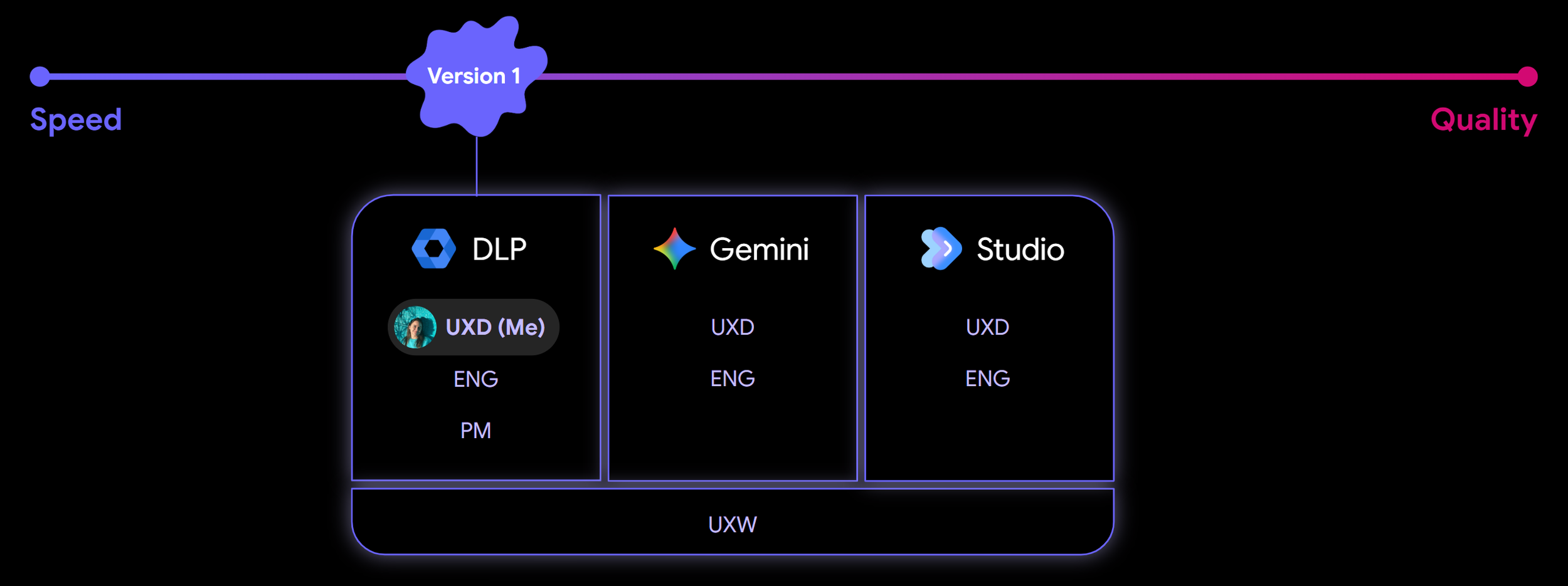
Since we were navigating an accelerated timeline to unblock Studio’s launch, speed was the priority. I delivered the first iteration of the UX within a few days of kicking off the project and while the requirements were still being drafted in the PRD. I had to balance UX quality with the need to ship quickly to address immediate customer needs.
My direct collaborators at this stage were a designer and engineer from both Gemini and Studio teams, my DLP PM counterpart, and a cross-functional UX Writer. We had many discussions over a series of meetings to determine how exactly a DLP rule would restrict an agent’s access to Google resources, and what we would be able to ship with this initial limited release.
Adapting legacy systems for dynamic AI workflows
On the surface, the rule creation UX for both Agent DLP and Gemini DLP seemed relatively straightforward to our product and engineering leadership when they approved the path forward outlined in the PRD. We were simply integrating the two new services into the existing DLP UX. However, we faced the challenge of shoehorning a new, dynamic workflow for AI governance into a legacy admin console experience. The original rule creation wizard, built with old or deprecated GM2 components, did not support the necessary responsive field logic required for this new era of Workspace intelligence.
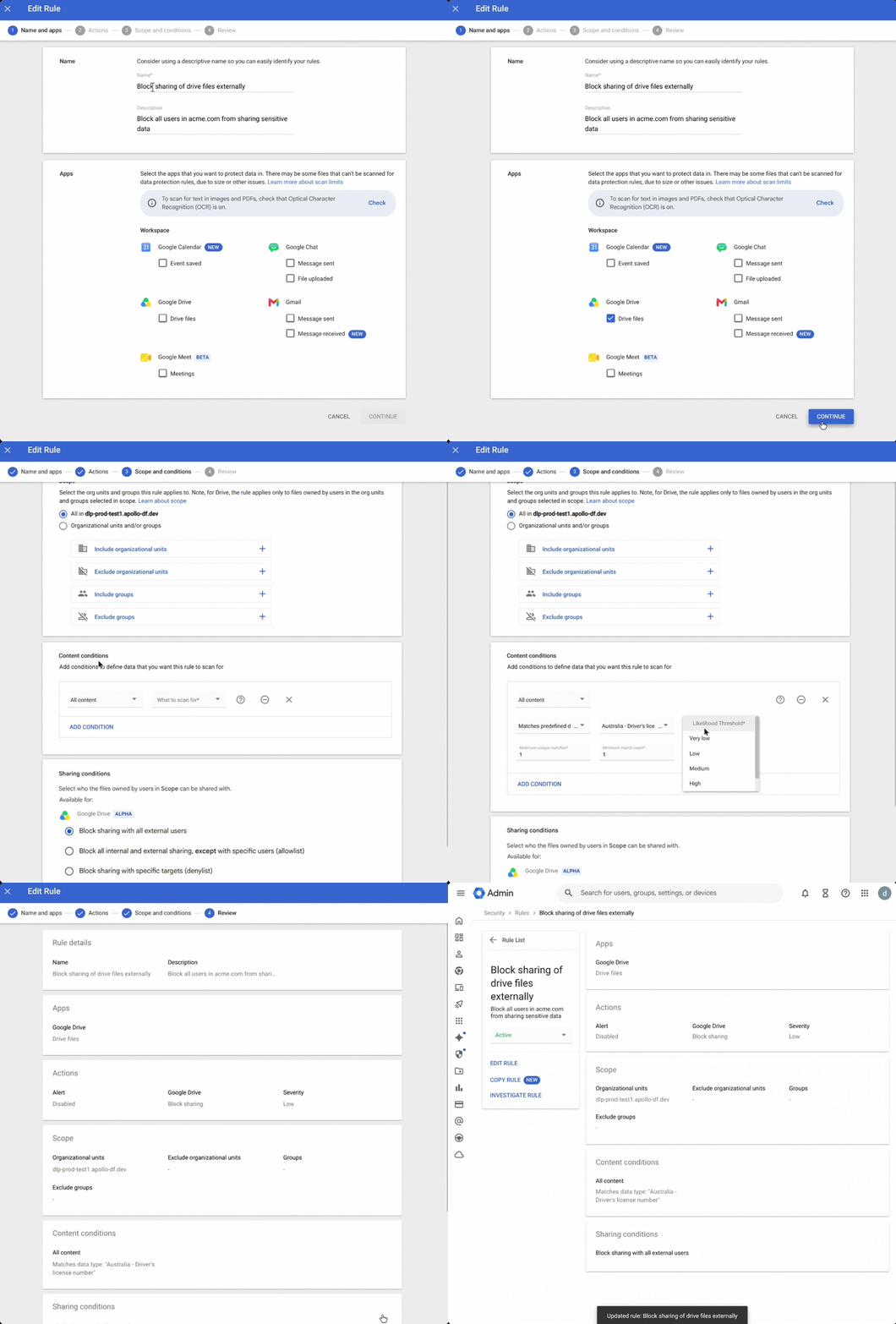
Simplifying rule conditions
The biggest UX challenge for Agent DLP was defining the rule conditions that the admin would set to determine when a rule would restrict an agent’s access to specific data. I partnered with our UX Writer and the UXD for Studio to translate complex technical constraints on the Studio side into three core rule conditions for DLP:
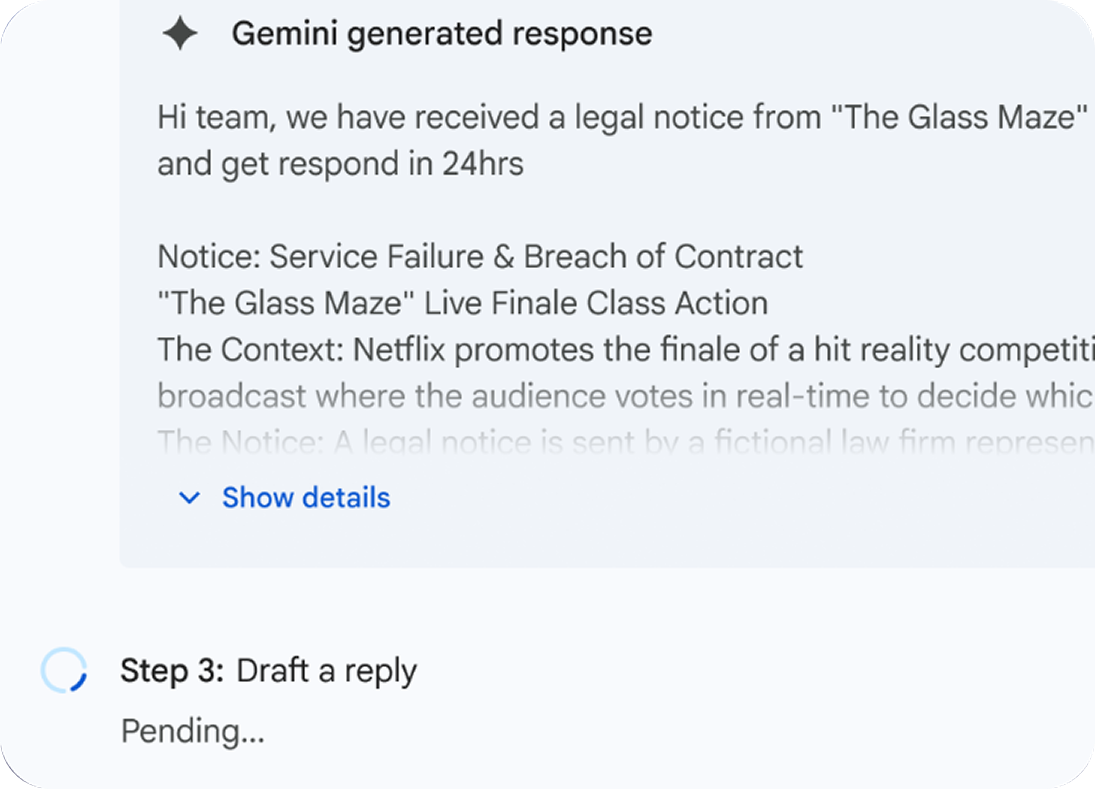
User inputs
Covers manual text and data passed from previous steps
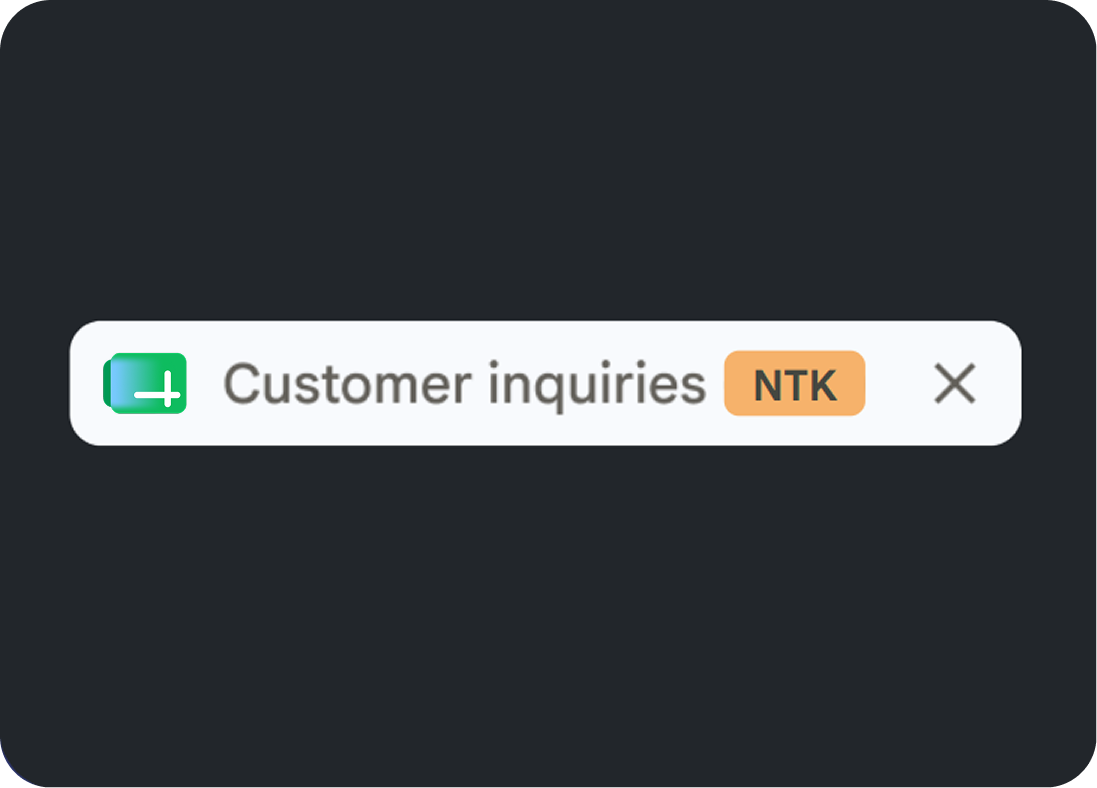
Resource variables
Checks the sensitivity of the files behind the inputs
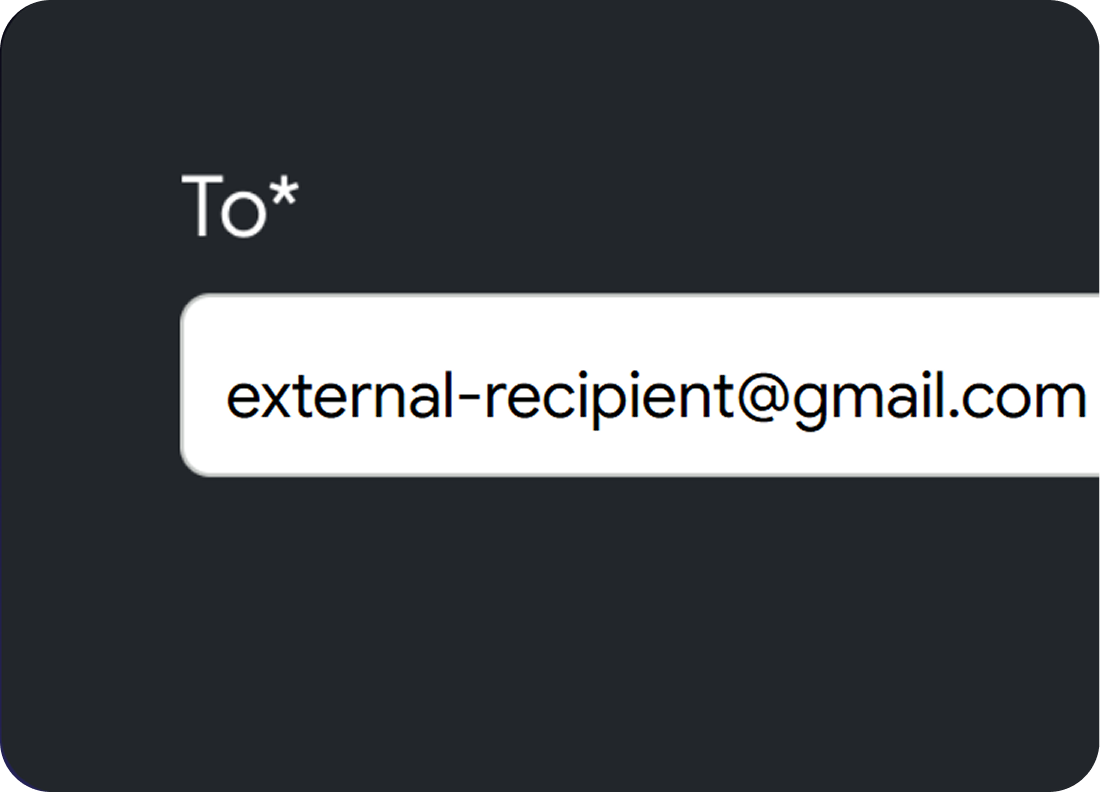
Data reach boundaries
Verifies the who and where to prevent data leaks
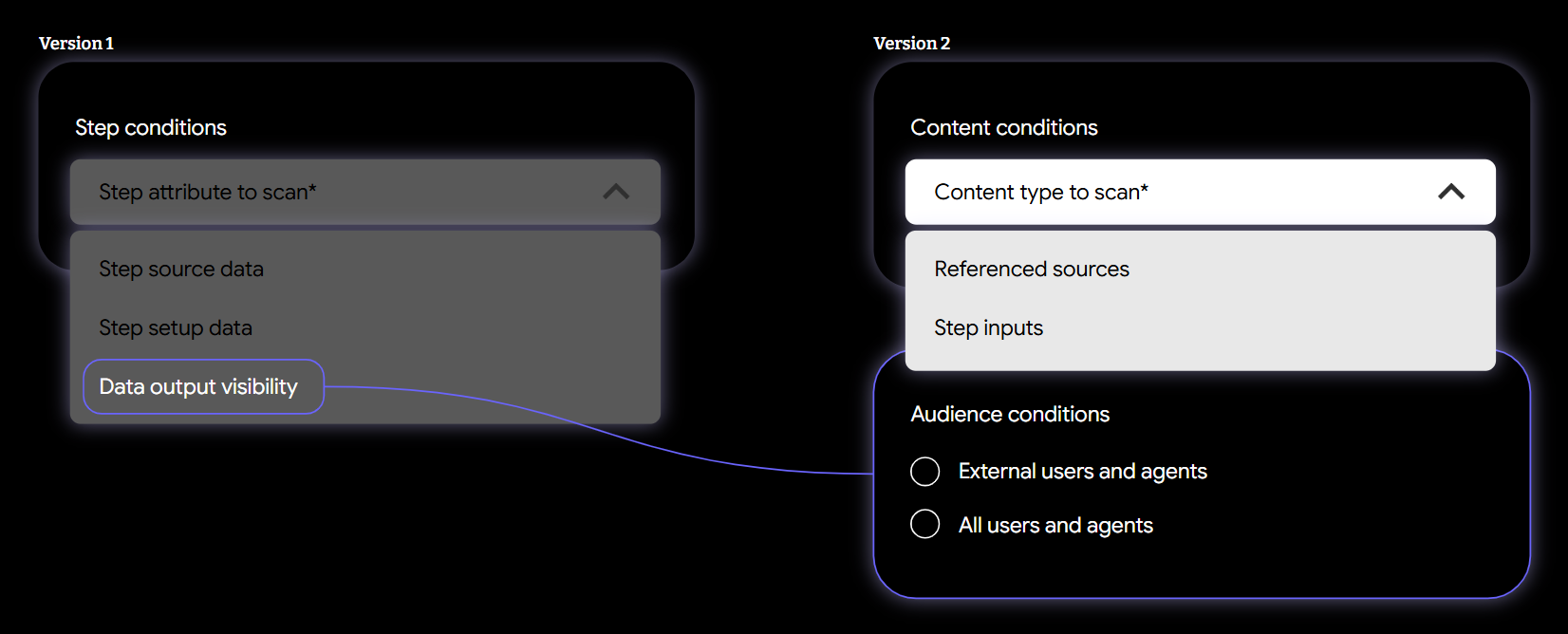
We originally proposed “data output visibility” as a third step condition. But after many discussions to clarify what exactly this condition type would restrict on the end user side, I proposed moving this option to its own section and defining it as “audience conditions”, creating a consistent mental model with existing sharing boundaries for DLP for Drive.
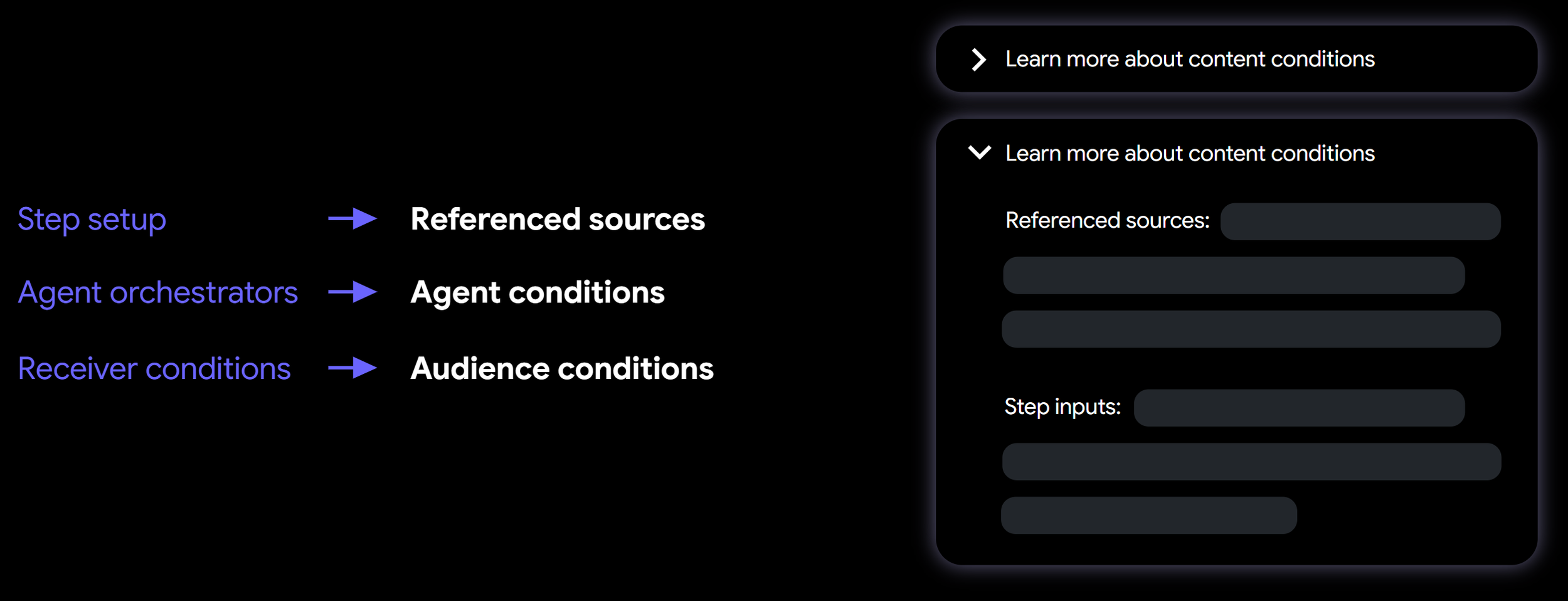
Because we were constrained to the existing DLP creation flow, I advocated for more low-cost terminology and content updates to eliminate backend jargon. We relied on UX principles like progressive disclosure to define these new terms. We complemented the UX by publishing thorough documentation in our Help Center articles.
End user UX
Gemini
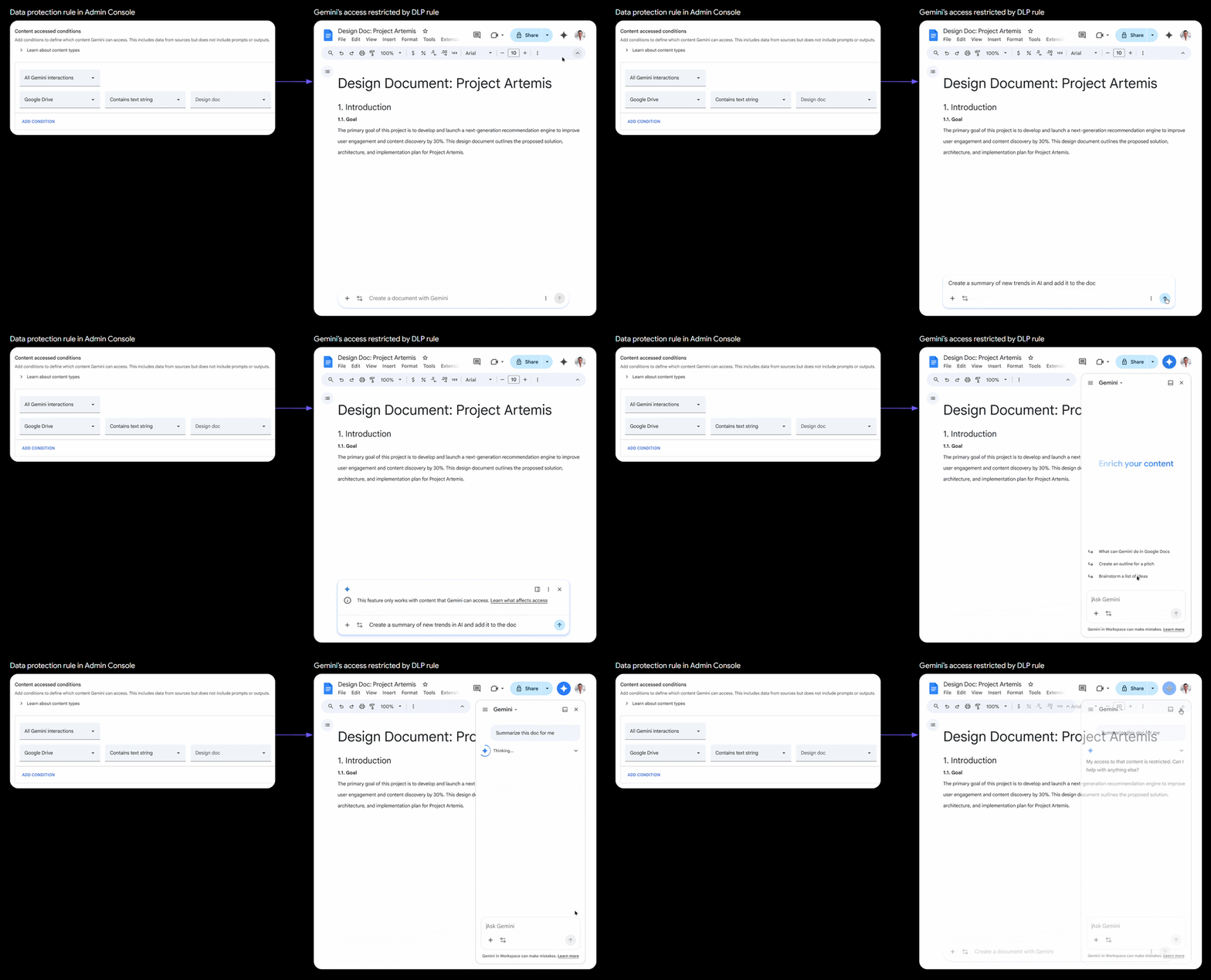
The end user UX for the multi-surface Gemini message was straightforward for the MVP release. The UX Writer and I finalized two variations of an info message that would be shown across all Gemini experiences, explaining that access to certain content has been restricted.
Studio agent
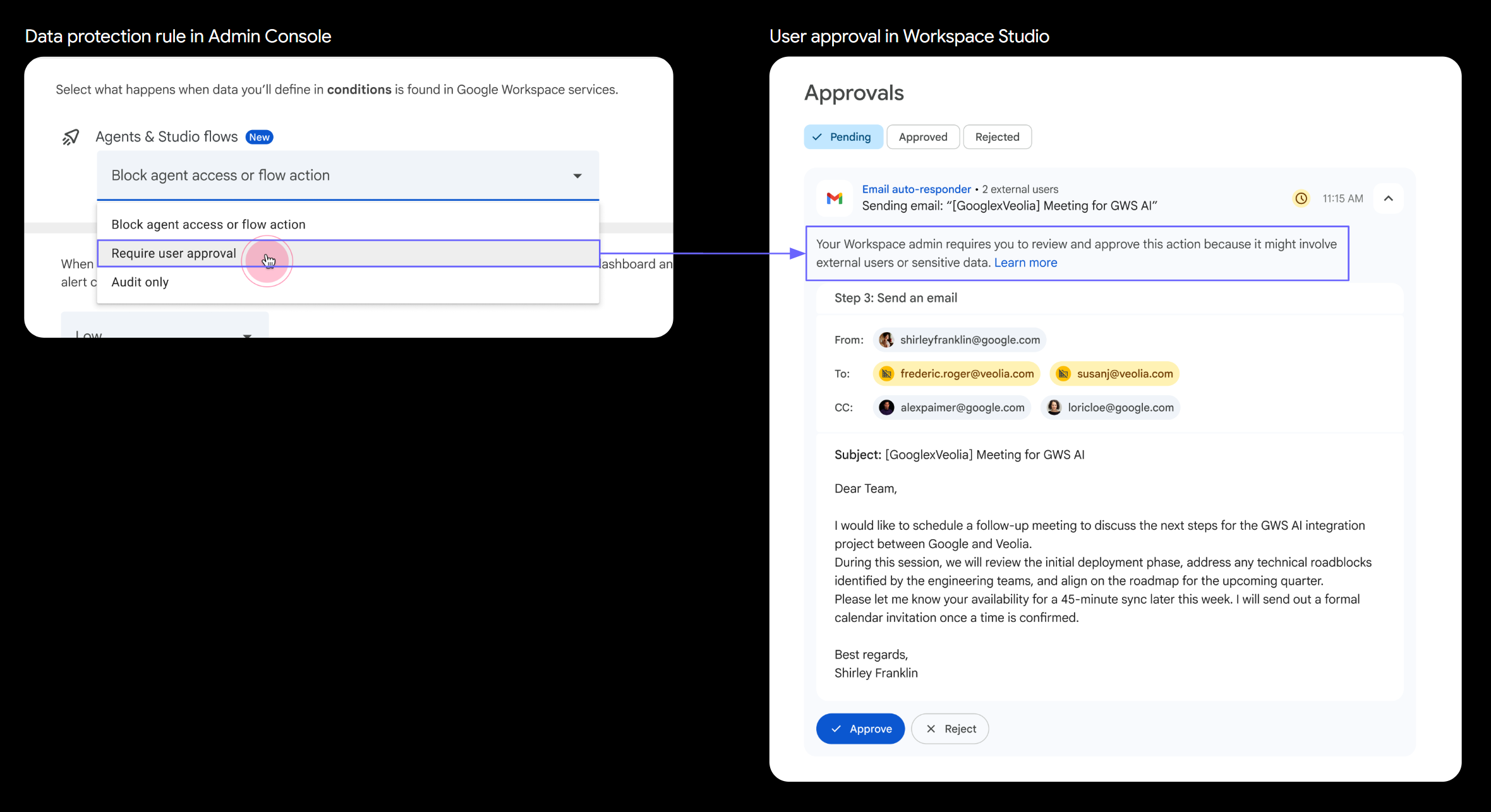
On the agent side, I worked with the UX Writer and the UX Designer for Studio on the messaging for each of the three potential rule actions an admin could set: Block access, require user approval, or audit. When configured to require approval, the primary goal was to make sure users understood that explicit authorization was needed before the agent processed potentially confidential information.
User research
By this point in early May 2026, I had gotten all of the UX approvals for the alpha AND GA launches that were planned in May and June, respectively. But I wasn’t yet convinced that what we planned to launch would pass Google’s quality bar.
At the same time, the launches were delayed by a couple of months. Instead of releasing to alpha, we went to dogfood to get internal feedback from google.com admins.
I partnered with our User Researcher and the DUV testing team to run a tactical study on our MVP rule creation flows. For the study, I worked closely with the engineering team to make sure we could set up a test environment in pre-prod instead of using a clickable prototype. It took a few conversations but eventually I found the right engineer to help us set that up. The goal of the study was to make sure users could successfully create a DLP rule for agents, a DLP rule for Gemini, and to understand if all new terminology matched their mental models
1
Audience conditions
Participants expressed the most confusion towards the scope of Audience conditions, and opted to choose “All users and agents, including agent manager,” because they didn't want the rule to be overly restrictive.
1
Audience conditions
Participants expressed the most confusion towards the scope of Audience conditions, and opted to choose “All users and agents, including agent manager,” because they didn't want the rule to be overly restrictive.
1
Audience conditions
Participants expressed the most confusion towards the scope of Audience conditions, and opted to choose “All users and agents, including agent manager,” because they didn't want the rule to be overly restrictive.