Microsoft Azure Service Hubs
Company
Microsoft
Year
2025
Design for enterprise
Design systems
UX strategy
Overview
Azure offers 500+ cloud services, making it difficult for customers to discover, evaluate, and adopt the right solutions. Many users entering the Azure Portal struggled to understand:
• Which services solve their problem
• How similar services differ
• How multiple services work together in a workload
To address this, Azure launched an initiative to reorganize the portal experience around scenario-based “Hubs” — consolidated groupings of services designed to help customers navigate Azure more easily and manage workloads across services.
As part of the Azure Design System team, I led the UX framework for Hubs, defining scalable design patterns and guidance used by product teams across Azure.
My role
I led the design strategy and UX framework for Hubs across Azure’s core infrastructure services.
Responsibilities included:
• Defining the core interaction patterns for Hub experiences
• Driving alignment across 10 product teams and 100+ stakeholders
• Creating scalable design patterns and UI components
• Leading cross-team UX audits and pattern synthesis
• Partnering with research, content strategy, and PM to document guidance
• Evangelizing the framework across Azure UX
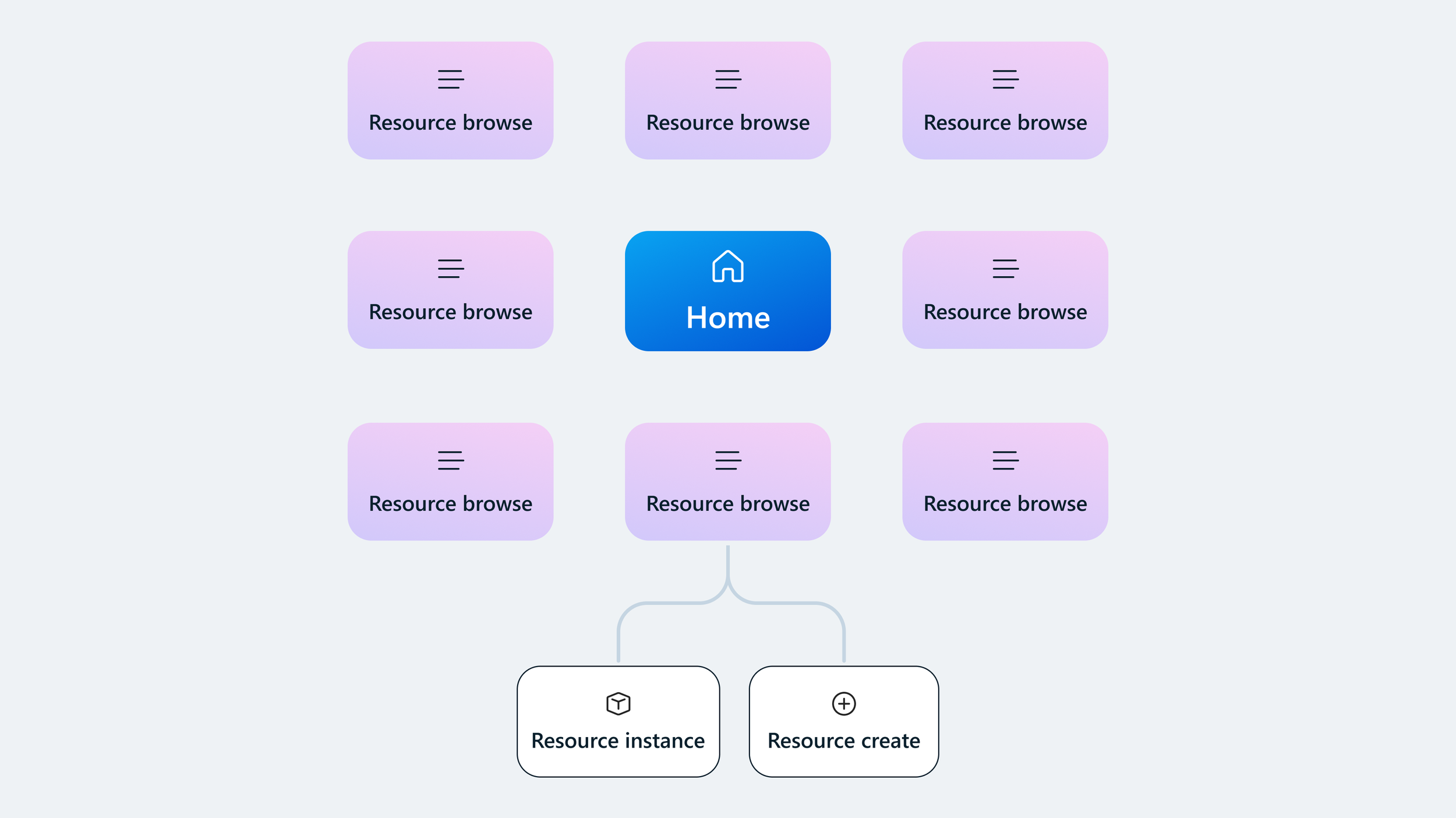
Before service consolidation, Azure’s services lacked hierarchy
The problem
Azure customers faced two major usability challenges in the Portal.
Service discovery
With hundreds of services available, customers struggled to understand what each service does, differentiate between similar offerings, and identify the best starting point for their particular needs. Many users relied on external documentation or search instead of navigating the Portal itself.
Navigation across workloads
Even after selecting a service, it was difficult to understand how other services fit into a complete solution. The portal lacked a clear information hierarchy connecting services into meaningful scenarios.
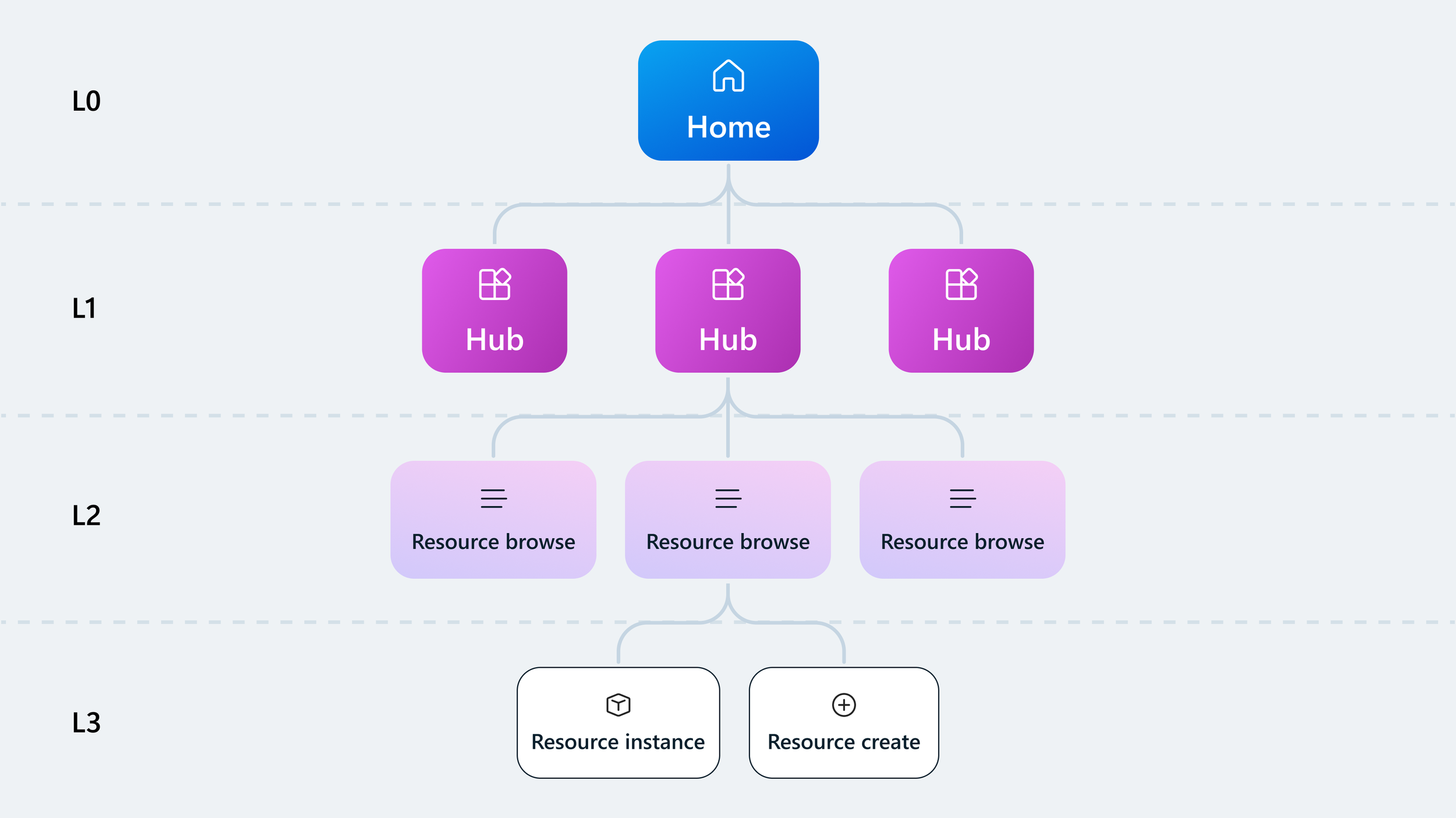
Hubs reorganize services around user scenarios rather than internal product categories
The solution
Scenario-based Hubs
A “Hub” is a consolidated grouping of services and resources that fulfils the needs of related user scenarios. A Hub is designed to help users:
Discover and differentiate product offerings to make a faster, educated choice
Provide critical context to support adoption and success
Support management tasks beyond resource boundaries
Internally we called these experiences Hubs, but in the product we used clear scenario naming to reduce complexity for customers.
The process
Identifying design opportunities
To establish a scalable framework, I partnered Azure’s three core Infrastructure as a Service (IaaS) organizations—Compute, Storage, and Networking—to understand their users’ needs as they navigate, discover, and compare offerings during each phase of the customer lifecycle journey.
Each team was independently designing Hub experiences, so I conducted a cross-org UX audit to evaluate these early concepts.
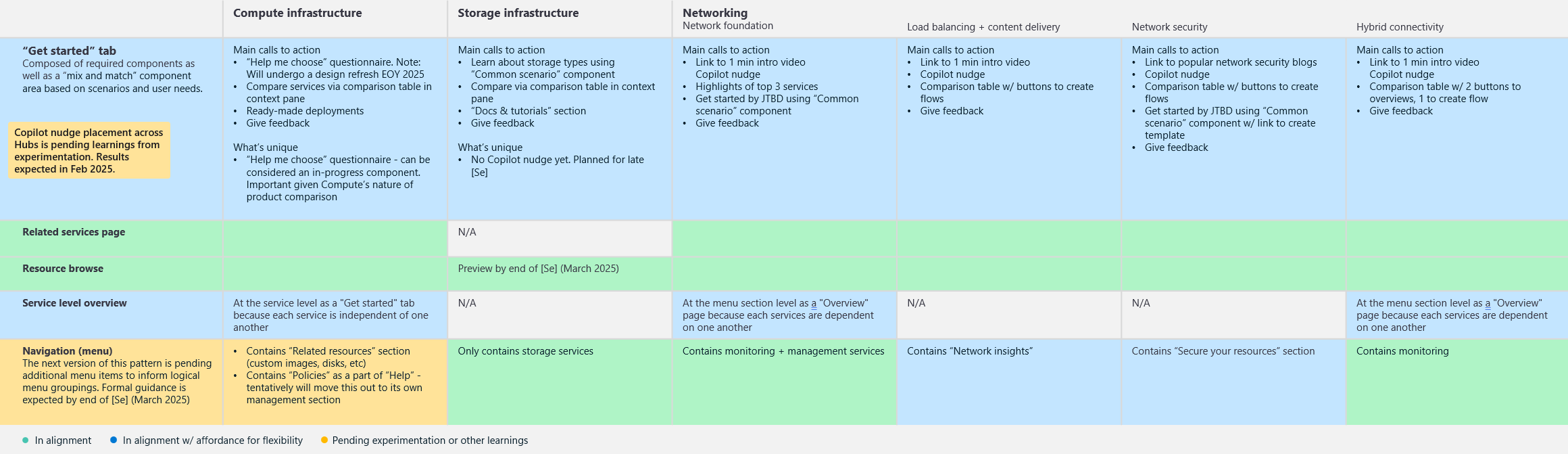
Key findings
Teams were solving the same UX challenges, but in different ways. This created opportunities to unify patterns around:
• Service discovery
• Scenario guidance
• Navigation structure
• Workload monitoring
Outcome
From the analysis, I identified 5 common design patterns and 10 reusable UI components that could serve as the foundation for all Hub experiences.
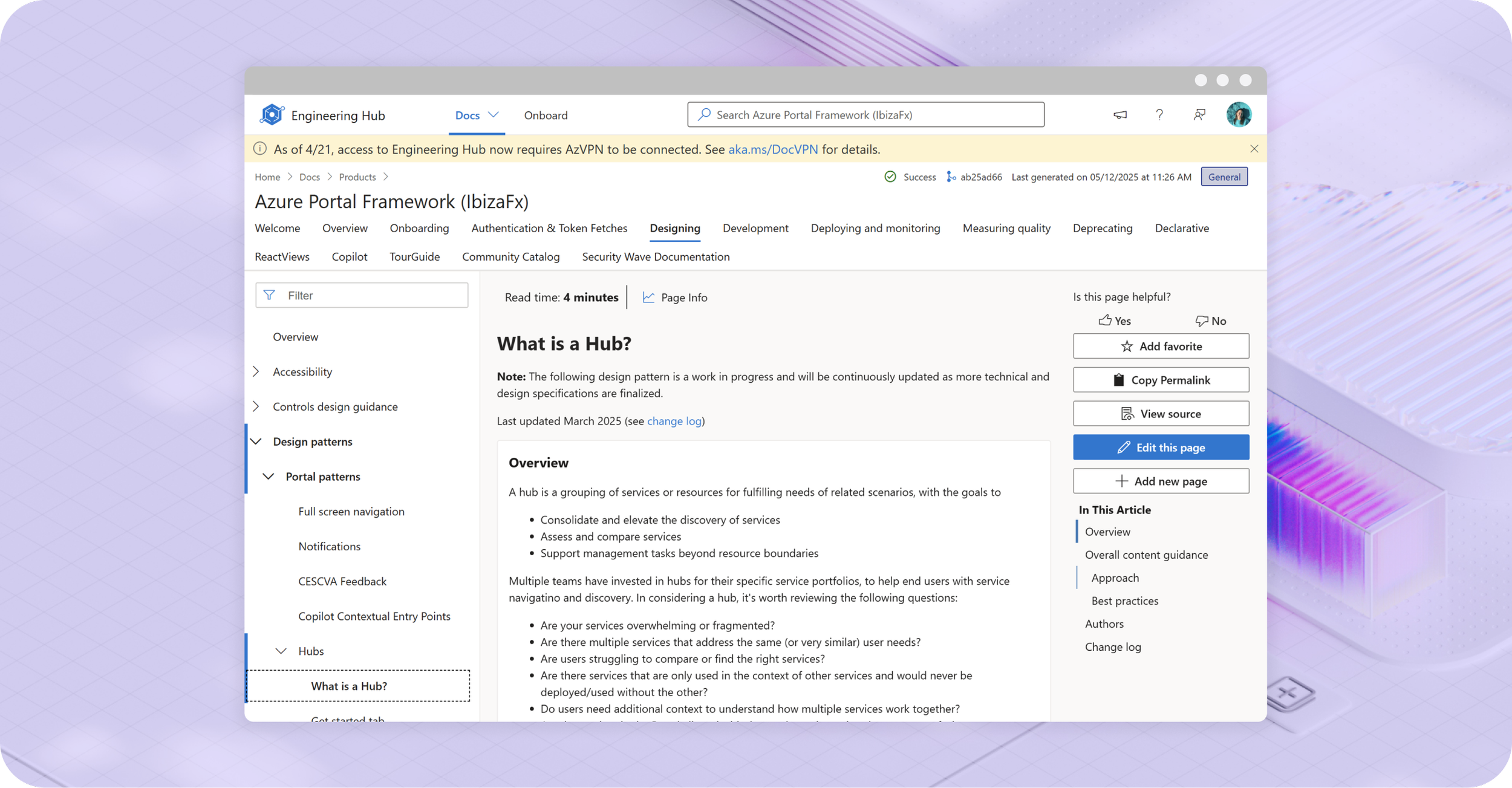
Creating the Hub Framework
To enable consistent implementation across Azure, I led the creation of Hub design guidance. I collaborated with designers, researchers, content strategists, and PMs to document each pattern, including:
Anatomy
Interaction behavior
Content guidance
Accessibility considerations
Implementation examples
Balancing consistency and flexibility
A key challenge was ensuring consistency while allowing product teams to address their unique user needs.
For example, the Compute team needed to improve discoverability for virtual machine scale sets, while the Networking team needed to help users compare technical aspects of three similar offerings.
Design approach
We created a modular “mix-and-match” system of components to be plugged in as needed, giving focus to those that add the most value based on a Hub’s core scenarios.
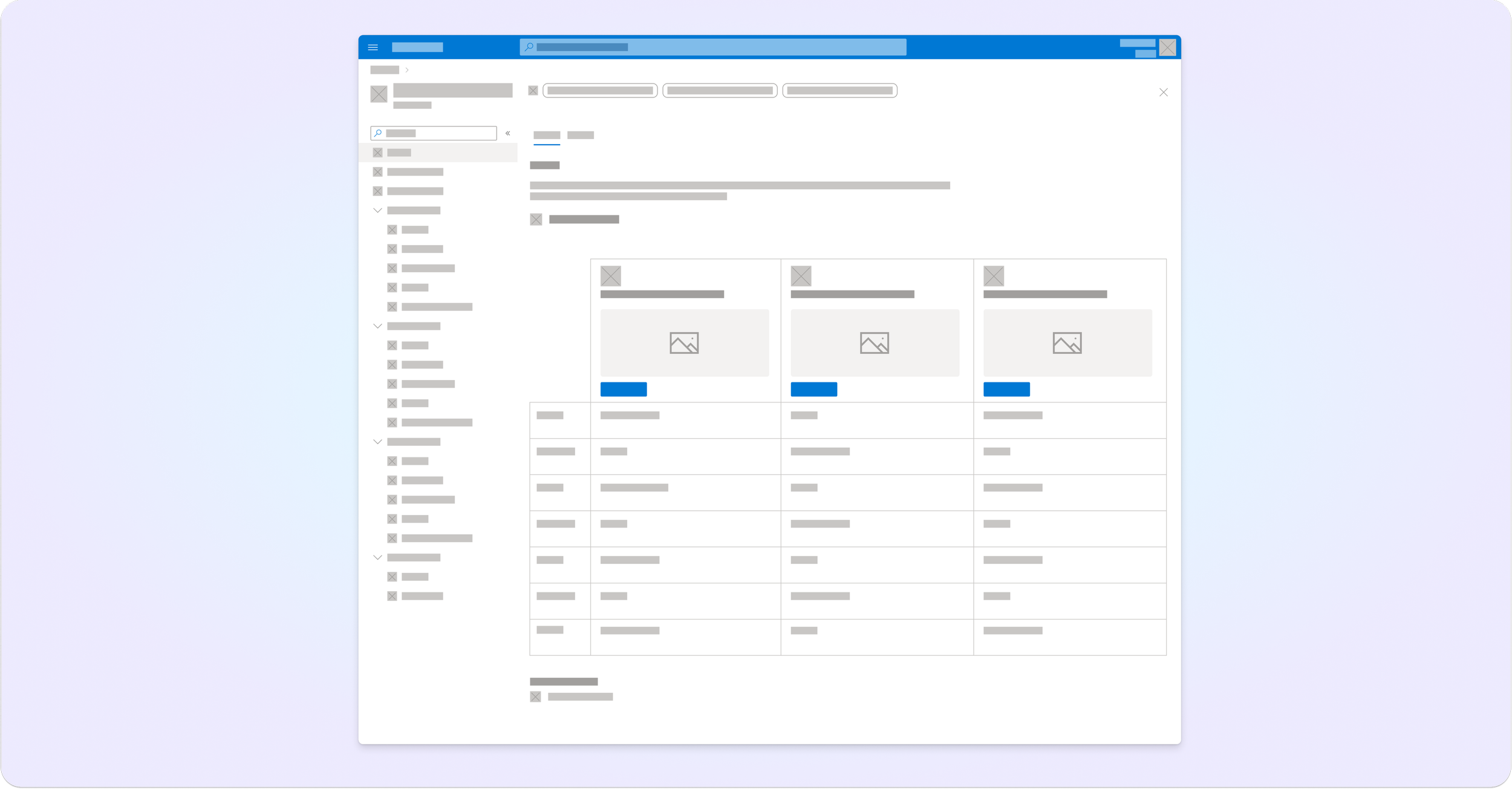
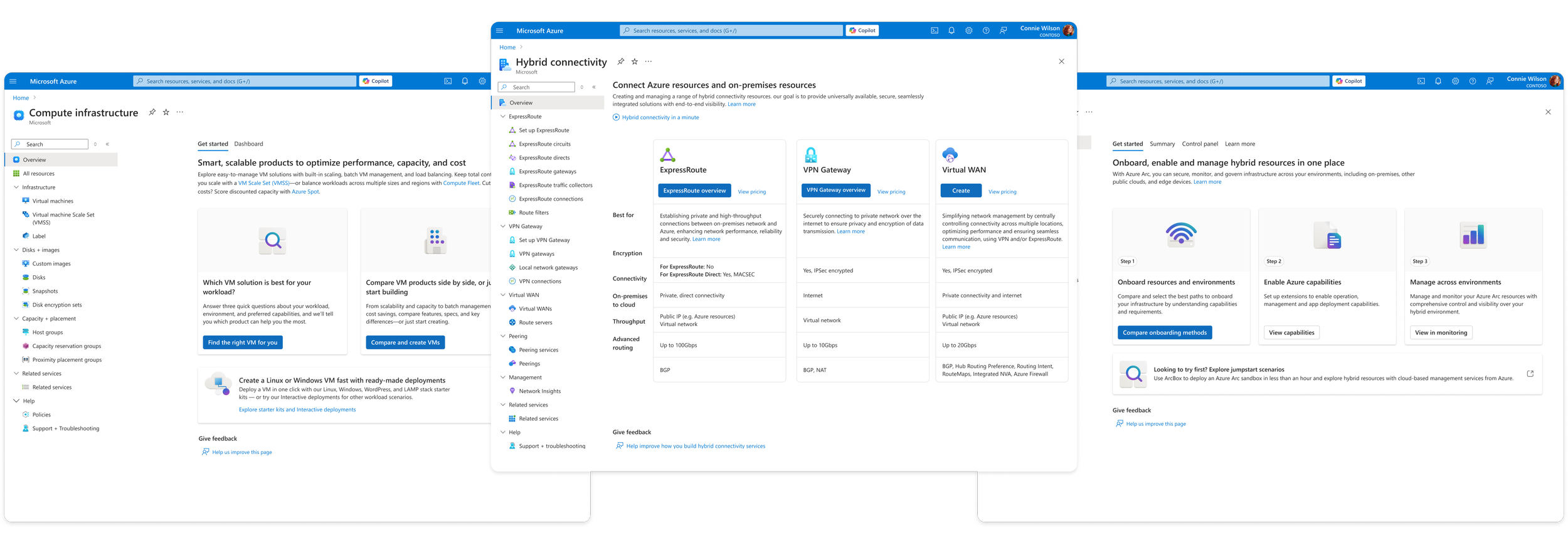
Overview page
New Azure users often struggle to know where to begin.
The overview page provides a landing experience that introduces the scenario and guides users toward the best starting point. It should:
Inspire confidence about choosing the right solutions.
Fulfill knowledge gaps.
Provide a smooth onboarding experience
Pattern elements include high-level scenario overview, highlighted services, links to documentation and resources, and quick actions for common workflows
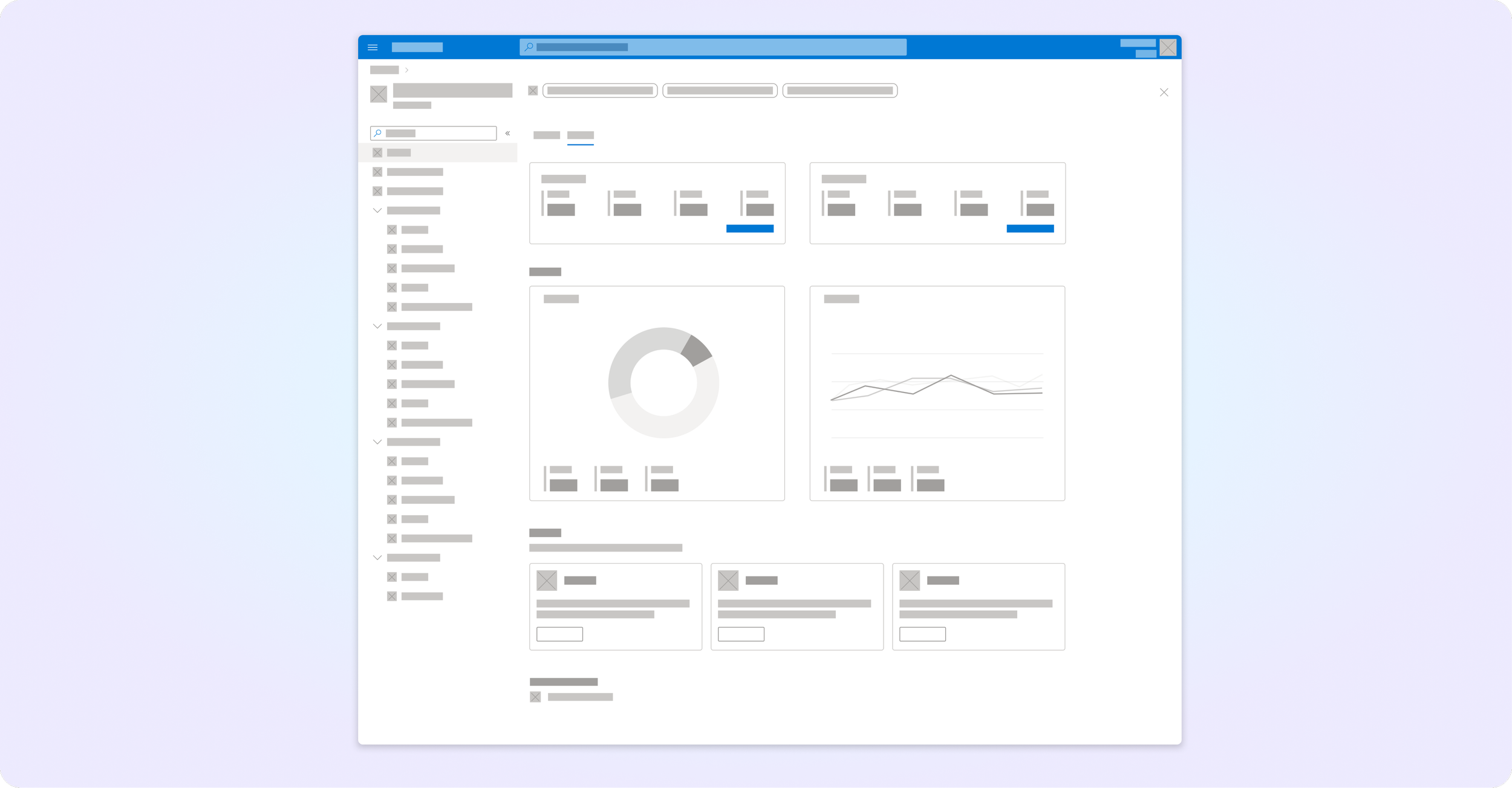
Dashboard
Once workloads are deployed, users need visibility across their environment. The dashboard pattern surfaces key signals from services like Azure Advisor, resource monitoring, and policies, allowing users to quickly assess system health and opportunities for optimization.
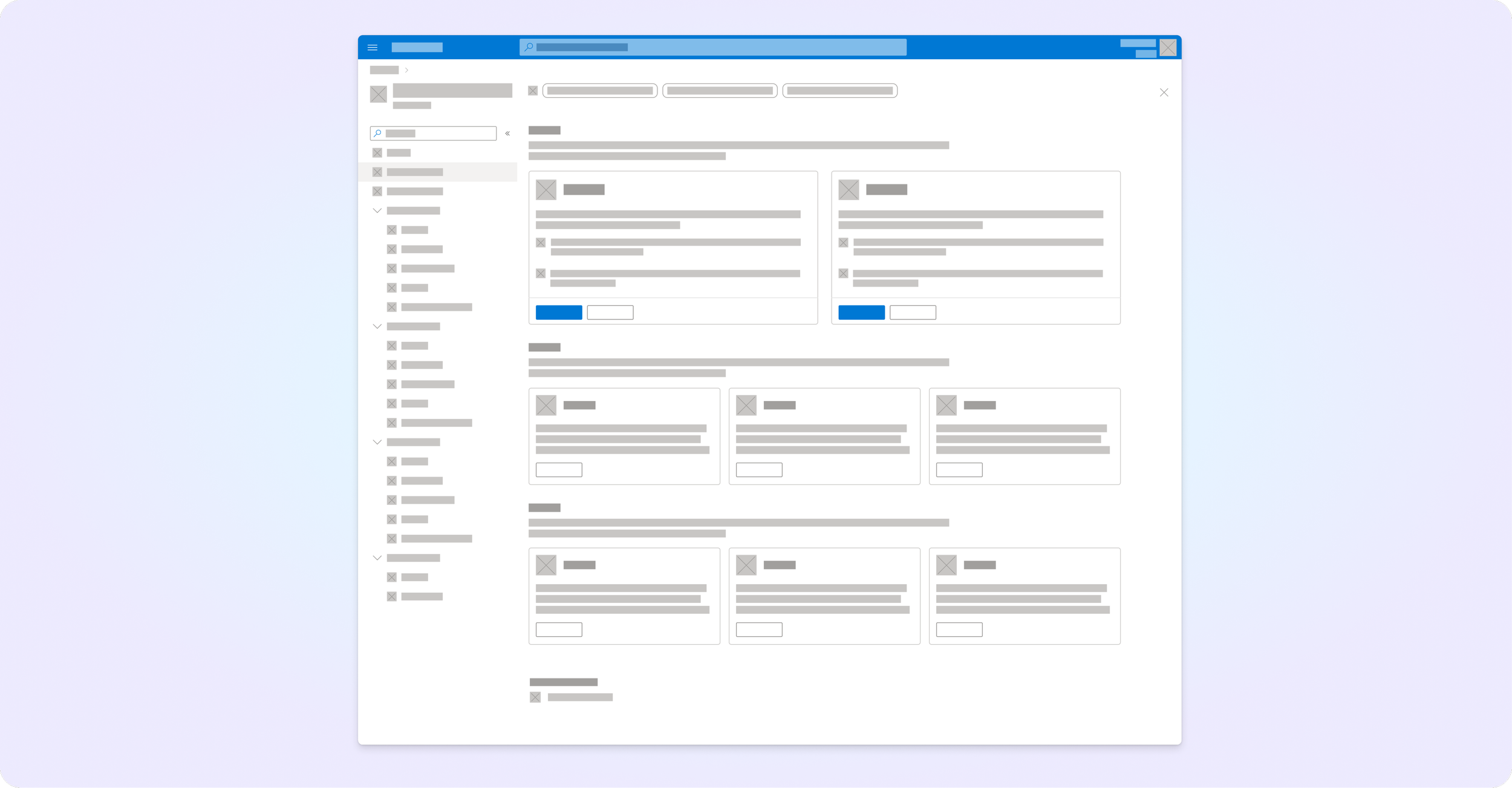
Related services page
To support Azure’s growth initiatives, we introduced a related services pattern.
This highlights services outside the core Hub that may enhance the workload — such as security tools, performance services and data solutions.
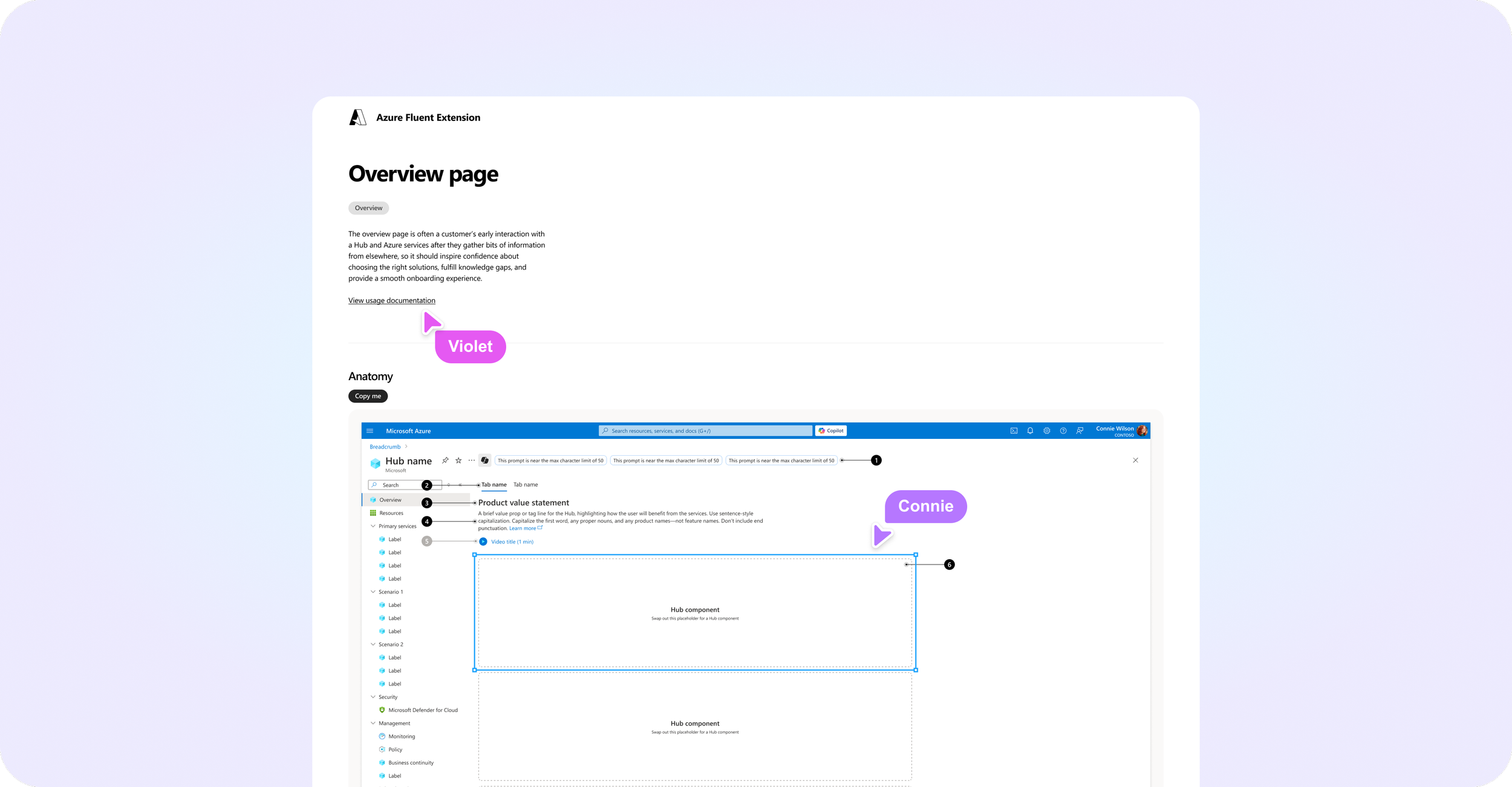
Publishing design templates
To accelerate adoption, I created ready-to-use Figma templates for each pattern.
Any team that was onboarding to the Hub model could start designing quickly by populating the template with their unique content. These templates lay the foundation for consistency so that product teams could avoid custom work
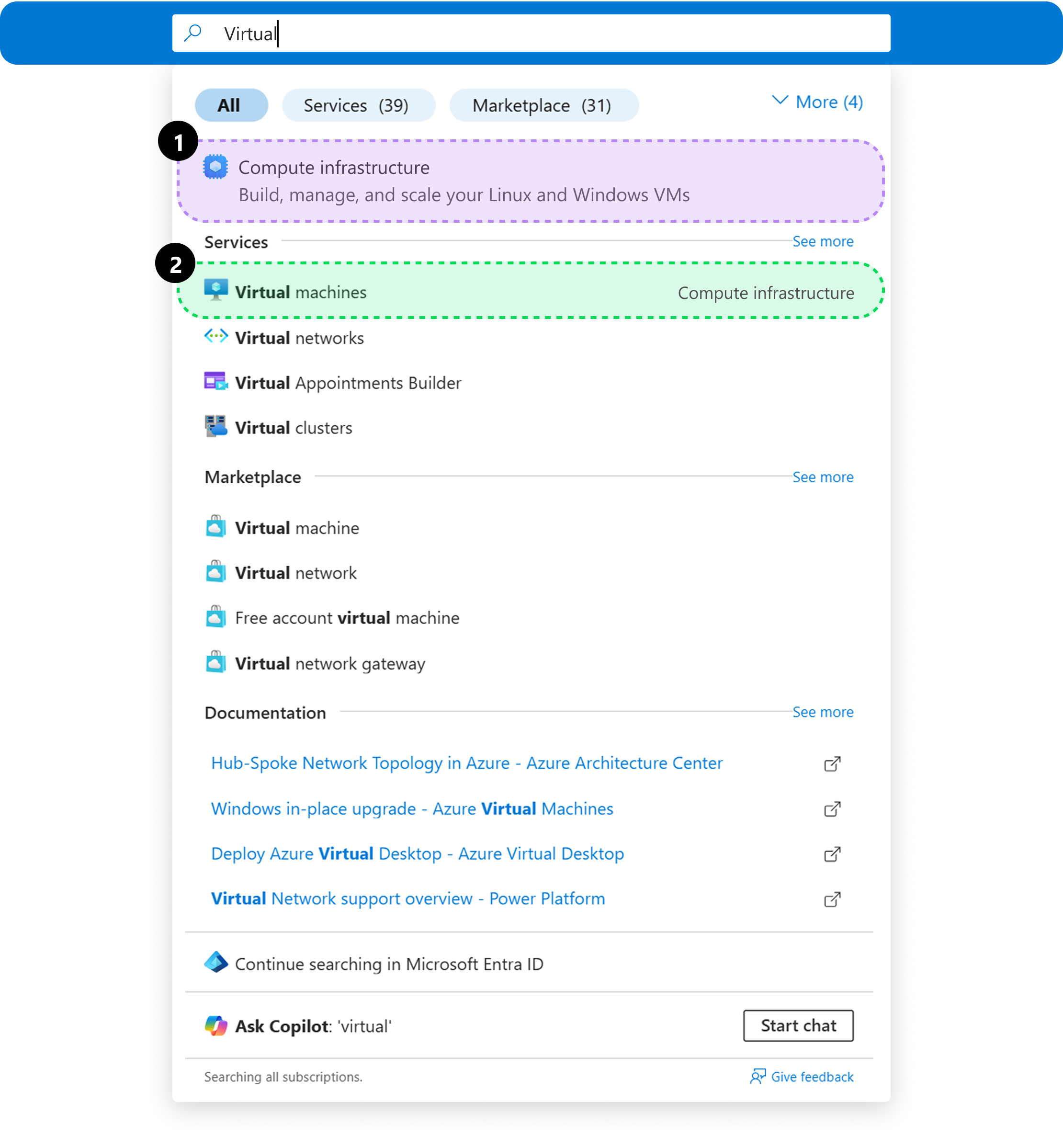
Using search across Azure
We updated navigational interactions like the search bar at the top of the Portal to reflect the consolidated scenarios in addition to specific services, allowing users to find what they need—even if they don’t know the exact service name.
Users can explore the broader scenarios¹ when unsure or jump straight to specific services² when they already know their path.
Seamless navigation across Hubs
Throughout the user’s product development lifecycle, from deploying a proof of concept compute resource, to creating a connected workload with storage infrastructure and load-balanced application traffic users can navigate more seamlessly in the Azure Portal.
Scenario Hubs follow a unified framework, ensuring clarity at every step, while also tailoring guidance, and interactive components to provide the right level of detail to help users build with confidence.